
Professional conference timer
Keep every speaker on time.
A dedicated timer device — not another app.
TimerProBOX is a plug-and-play conference timer with ±1 ms precision. Control it from a tablet, a connected keyboard or an Elgato Stream Deck — and show a crystal-clear countdown on any screen or projector.
- ±1 ms precision
- No subscription
- Lifetime updates
- 5 languages
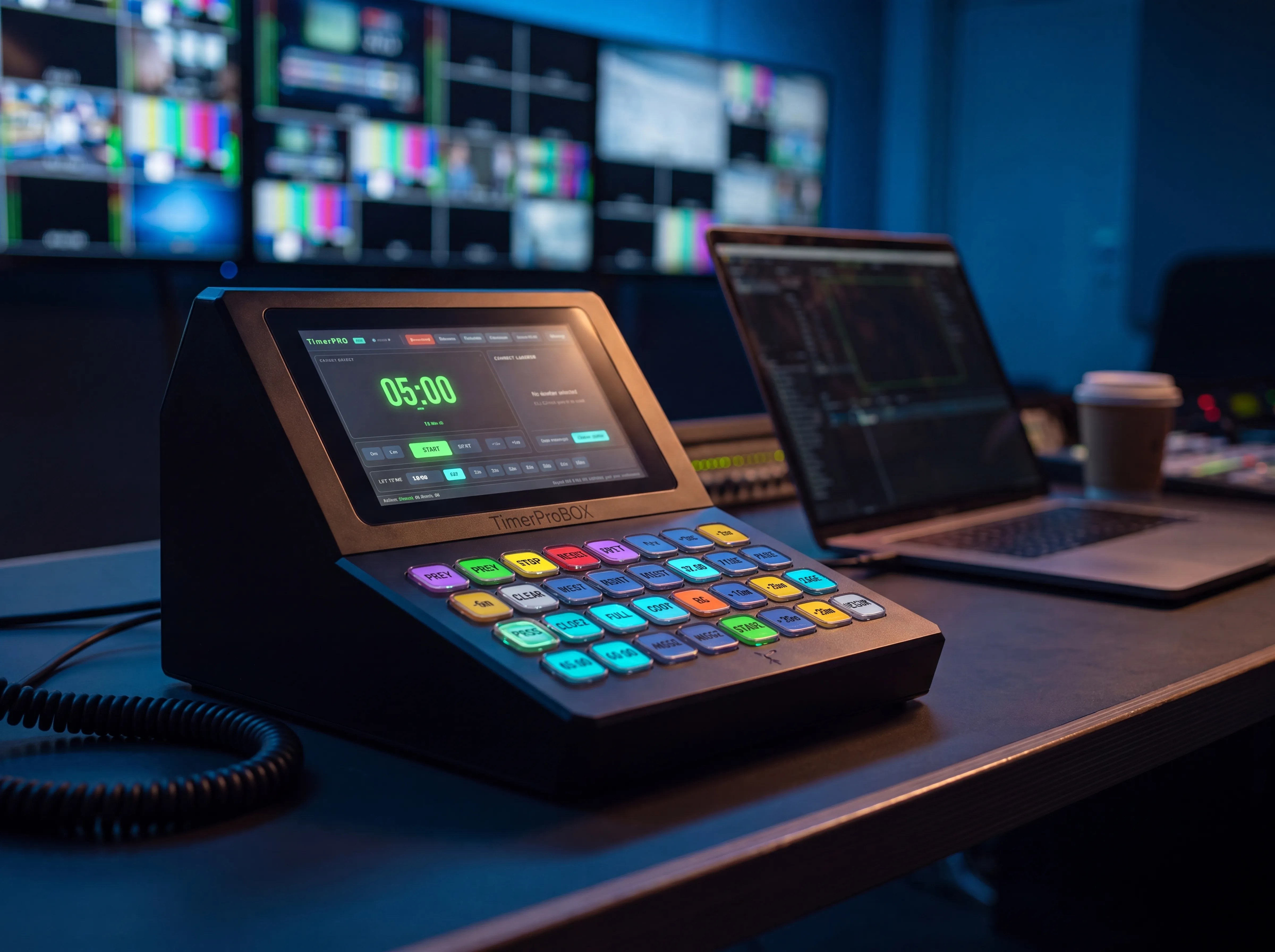
Plug & play
A finished device. Connect power and a screen — it just works. No PC, no setup.
±1 ms precision
A rock-solid clock that never drifts, even after hours on stage.
One-time price
Buy it once and own it. Lifetime updates included — no monthly fees.
Broadcast ready
ON AIR graphics and chroma-key output for vMix and OBS out of the box.
One device, every view you need
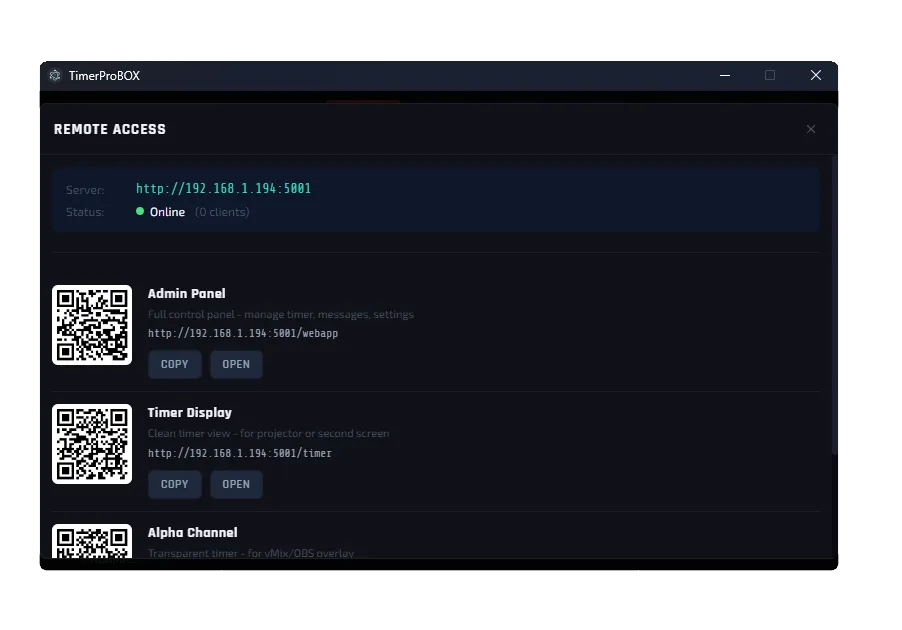
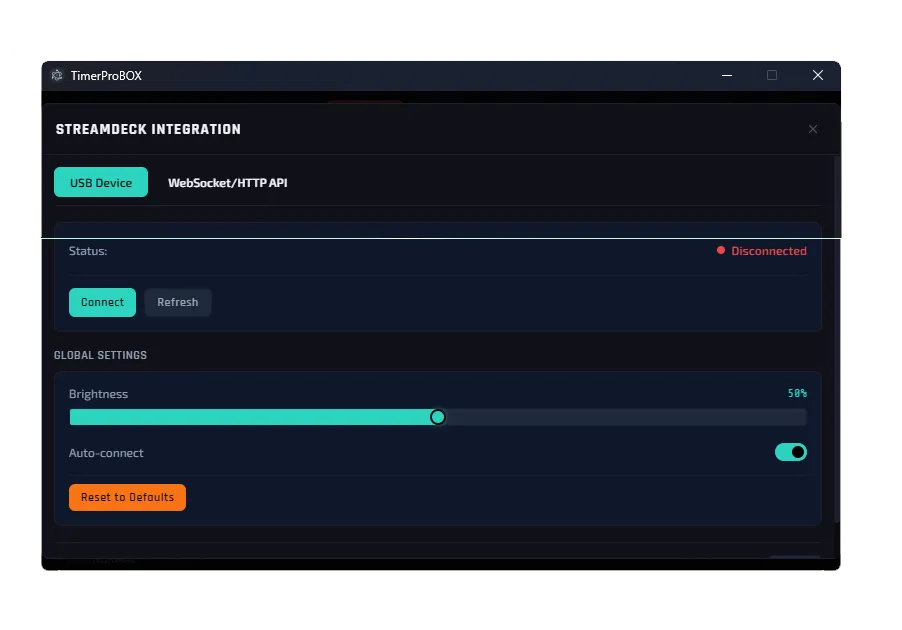
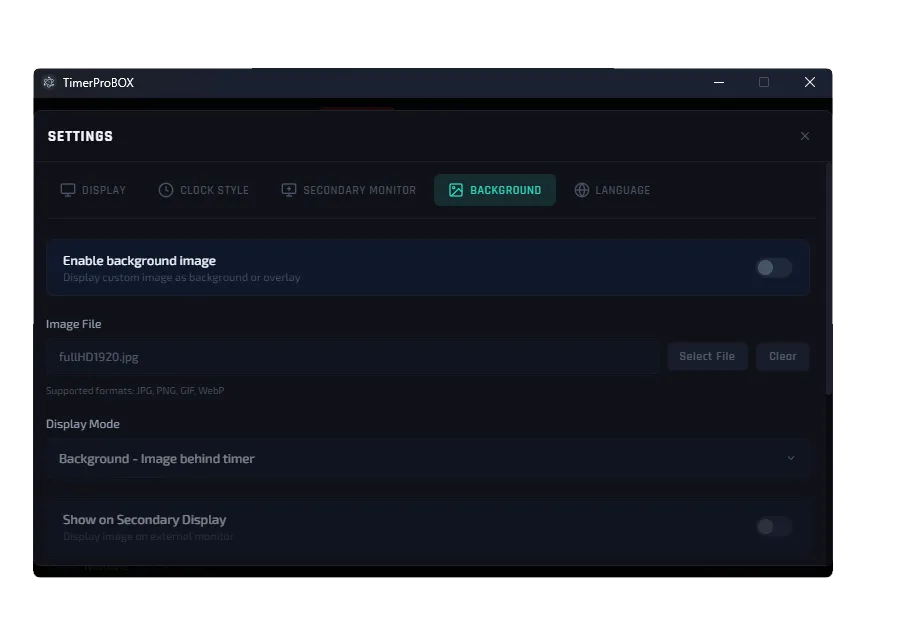
From the operator console to the speaker’s screen — see how TimerProBOX runs your session.
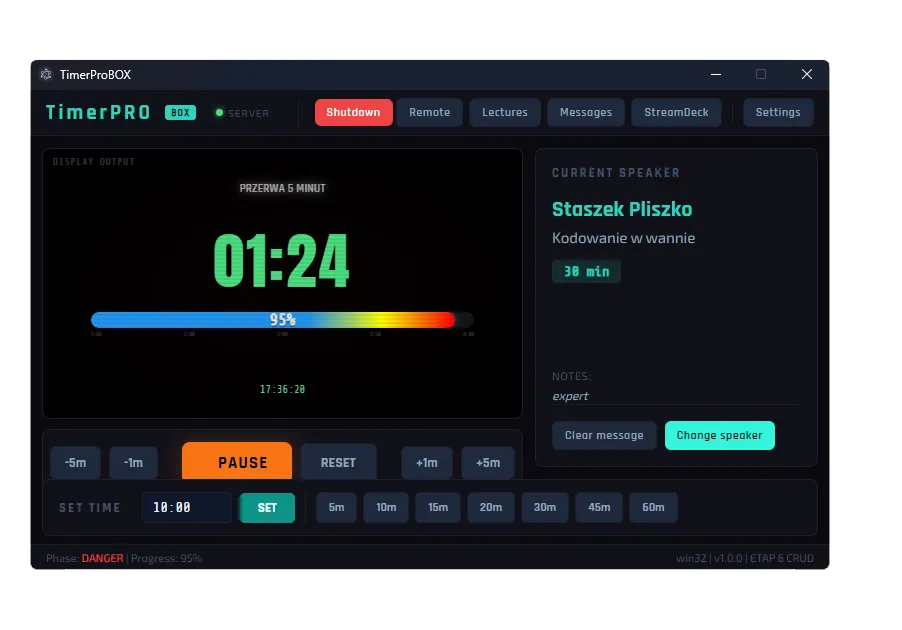
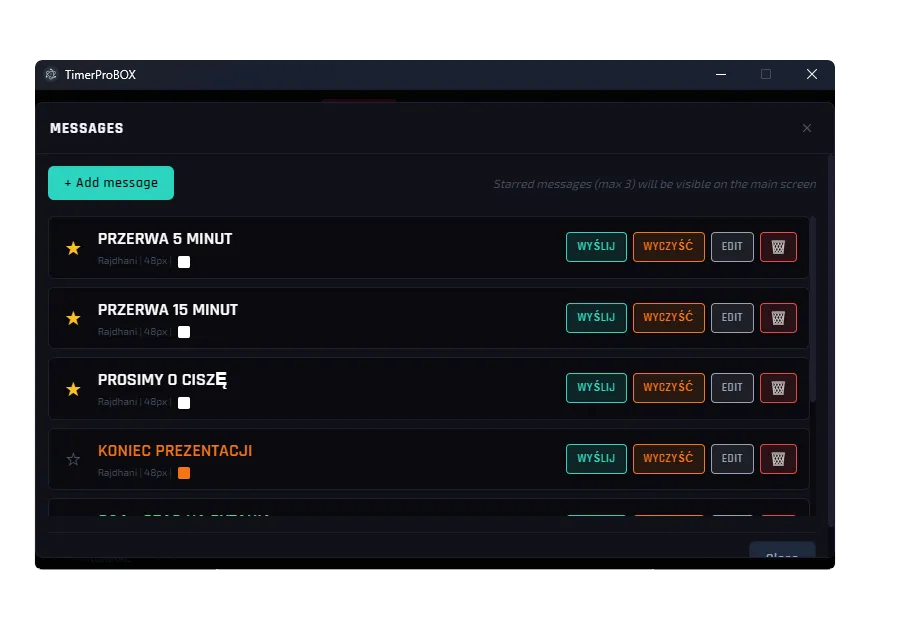
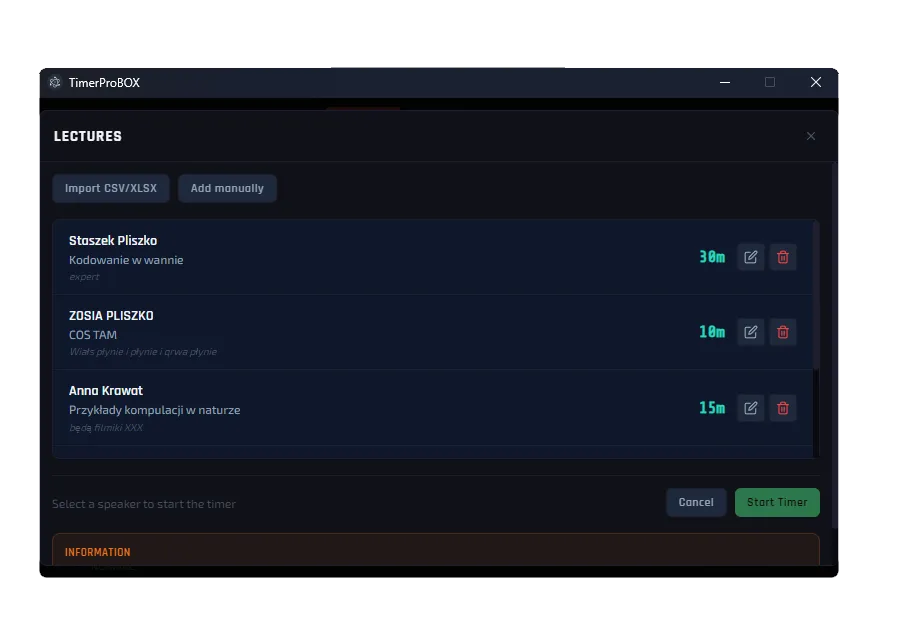
Built for people who run the room
Wherever time on stage matters, TimerProBOX keeps it under control.
Conference & event organisers
Keep the agenda on schedule and every speaker within their slot.
AV & technical crews
A reliable, dedicated timer that drops straight into your rig.
TV studios & streamers
ON AIR graphics and clean chroma-key output for vMix and OBS.
Churches, theatres, culture houses
Big, readable stage countdowns everyone can follow.
Everything you need to run time on stage
A complete toolkit — from the countdown itself to broadcast graphics and remote control.
Precision timer core
The heart of TimerProBOX: a countdown you can trust.
- ±1 ms accuracy — never drifts
- Count down or count up, with overtime tracking
- Automatic colour phases: green → yellow → red → overtime
- Quick presets for instant setup
Display & branding
Show the timer exactly how your event needs it.
- Dual display output — operator and stage at once
- Full-screen clock mode with date
- Progress bar in phase colours
- Custom background, conference title and on-screen messages
Control interfaces
Run the show your way.
- Touch-screen console — add a keyboard or Stream Deck via USB
- Web remote from any phone or tablet
- Elgato Stream Deck support
- REST API & WebSocket for integrations
Broadcast & integrations
Studio-grade output for live production.
- ON AIR / REHEARSAL / OFF AIR statuses
- Three broadcast display templates
- Chroma-key / alpha output for vMix & OBS
- Five interface languages: PL, EN, DE, ES, FR
Broadcast mode
Studio-grade ON AIR, built in
Switch TimerProBOX into broadcast mode and turn any screen into a professional on-air display. Big, unmistakable status, a live countdown and clean graphics you can key straight into your production.
- Large ON AIR / REHEARSAL / OFF AIR status
- Three ready-made display templates
- Chroma-key output for vMix & OBS
- Custom font, size and colour
Ready for your whole setup
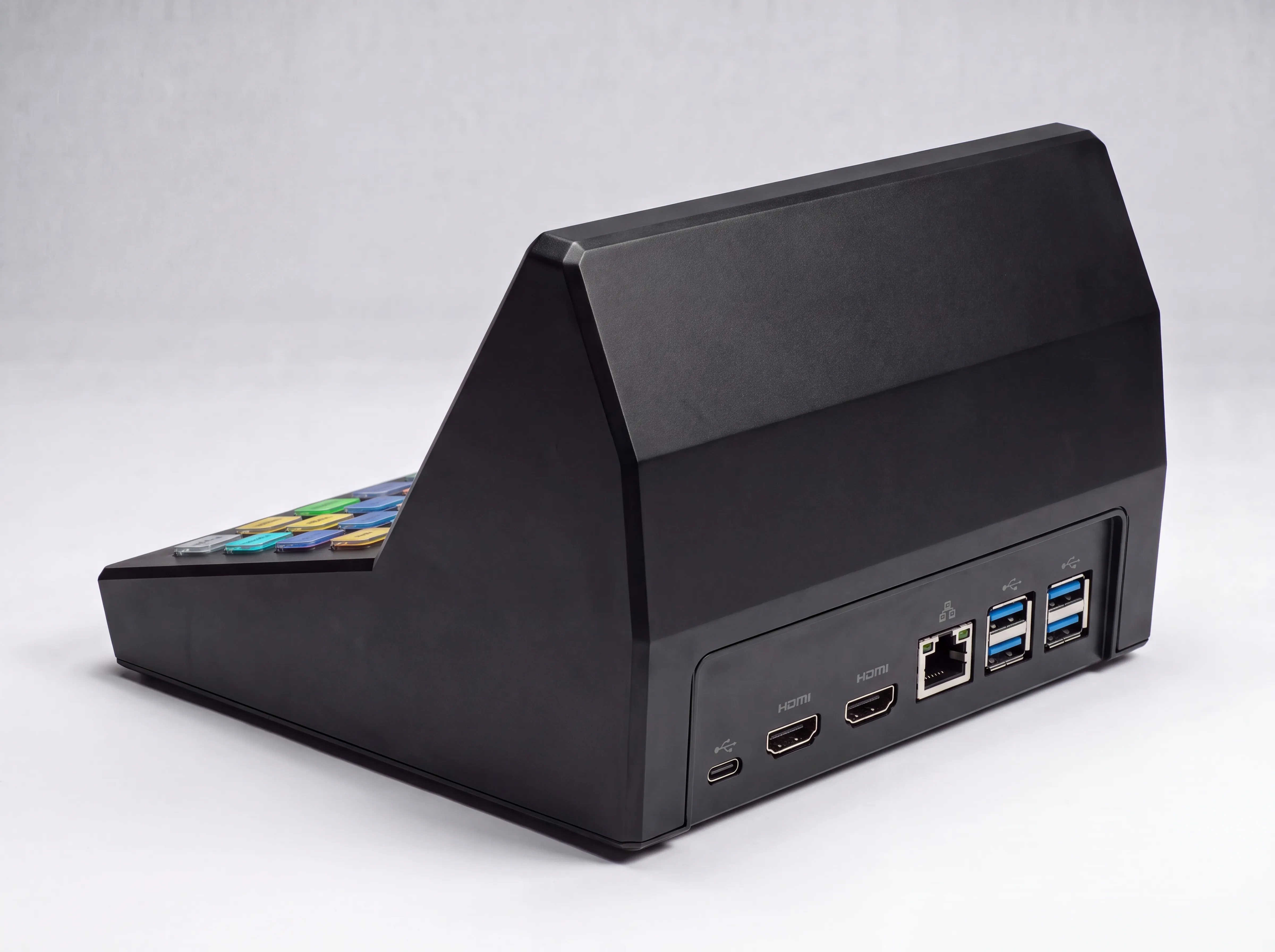
Every connection you need is already on the device — plus room to grow.
Dual HDMI
Drive the operator view and the stage screen at the same time.
USB ports
Add a mouse, keyboard or an Elgato Stream Deck any time.
Wired network
Rock-solid connection to your event network.
Wi-Fi
Control from a tablet with no cables at all.
Bluetooth
Connect wireless accessories.
Expandable
Bought the base model? Add a Stream Deck later and just plug it in.
Why TimerProBOX
The reliability of dedicated hardware with the features of modern software — and no subscription.
| What matters | TimerProBOX | LED timer boxes | Timer software |
|---|---|---|---|
| Ready-to-use device | |||
| On-screen graphics & branding | |||
| ON AIR broadcast mode | |||
| vMix / OBS integration | |||
| Tablet & Stream Deck control | |||
| Works without a separate PC | |||
| No subscription | |||
| Lifetime updates |
Simple, one-time pricing
Buy the device once and own it. Lifetime updates included with every model.
TimerProBOX
The complete conference timer device.
What’s included
- The TimerProBOX device, ready to use
- Touch-screen operator console
- Connect a USB keyboard or Stream Deck any time
- Web remote, REST API & WebSocket
- Broadcast mode + vMix/OBS output
- All 5 languages · Lifetime updates
TimerProBOX + Stream Deck
The full kit with a dedicated Stream Deck keypad.
What’s included
- Everything in TimerProBOX
- Elgato Stream Deck included & pre-configured
- Physical keys for start, stop, messages & more
- Ready for live production out of the box
- All 5 languages
- Lifetime updates
Prices include VAT. Shipping calculated at checkout.
Frequently asked questions
Is TimerProBOX a subscription?
No. You buy the device once and own it. Every model includes lifetime software updates at no extra cost.
Do I need a computer to use it?
No. TimerProBOX is a complete, standalone device. Connect power and a screen and it’s ready.
How do I control it?
Use the built-in touch screen and keypad, a phone or tablet via the web remote, or an Elgato Stream Deck. You can also integrate via REST API and WebSocket.
Can I use it for live streaming?
Yes. Broadcast mode provides ON AIR graphics and a chroma-key output you can key straight into vMix or OBS.
Which languages are supported?
The interface is available in Polish, English, German, Spanish and French.
What’s the difference between the two versions?
Both are the same device. The €729 kit adds a pre-configured Elgato Stream Deck for physical, one-touch control. You can also add a Stream Deck to the base model later.
Ready to keep your event on time?
Order your TimerProBOX today, or get in touch with any questions.